
How to Make Isometric Voxel Art Online
Learn how to create a small isometric voxel art scene with terrain tiles, object palettes, footprint placement, local saving, and PNG export. This is a standalone voxel art builder, separate from the Minecraft Blueprint and Draw workflows.
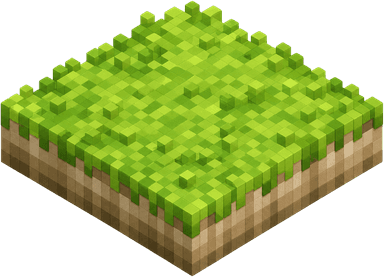
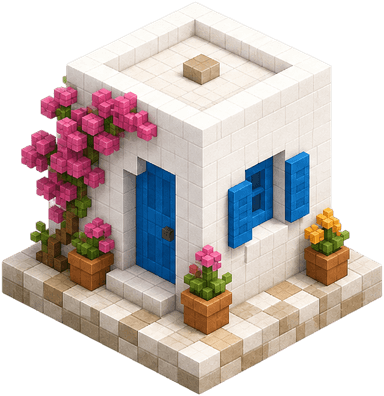
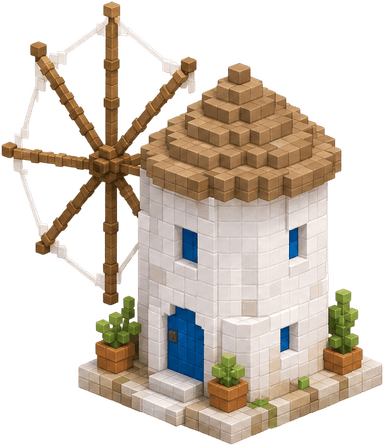
What the builder is for
The builder is best for fast visual layout work: small island scenes, toy city compositions, prop placement tests, and exported references. It is not a block-count calculator, not a Minecraft material planner, and not part of the Blueprint or Draw editor state.
Terrain-first scene building
Object palettes
Direct placement
Pan and zoom controls
Local autosave
PNG export
How to use it
Work from the ground up. Terrain establishes the island, objects sit on top of terrain, and larger assets reserve their full footprint so the preview matches where the object will be placed.
- Step 01
Open the builder
Use the guide page when you need instructions, then open the live canvas once you are ready to place tiles.
- Step 02
Choose a terrain tile
Begin with terrain because it defines the readable island shape and makes later object placement easier.
- Step 03
Add objects by footprint
Buildings and larger features reserve multiple grid cells. The highlighted footprint shows where the asset will land.
- Step 04
Use erase, pan, grid, and flip controls
Erase removes the top item at a cell, pan moves the camera, grid helps alignment, and flip mirrors compatible objects.
- Step 05
Save or export
Autosave handles browser-local recovery. Choose a sky or transparent background, then export the full scene as a PNG.
Control reference
The tool is designed for quick repeated actions. The visible controls are intentionally compact, so this guide names what each group does without crowding the canvas itself.
Paint the selected terrain tile or object into the highlighted grid footprint.
Remove the topmost object at a cell first, then remove terrain if no object is present.
Show alignment lines while placing multi-cell buildings, bridges, and paths.
Choose a sky or transparent background, then download the auto-framed scene as a 1600 × 1200 PNG.
FAQ
Is isometric voxel art the same as Minecraft pixel art?
No. Isometric voxel art uses a 3D-looking angled grid for scenes and objects, while Minecraft pixel art here uses block-by-block Blueprint and Draw workflows.
What can I build with it?
It is designed for small isometric island scenes, layout sketches, voxel mood boards, building mockups, and exported visual references.
Why do some assets reserve more than one grid cell?
Buildings and bridges use larger footprints so placement, erasing, and overlap checks match the visible object size.
Does the scene save automatically?
Yes. Compatible terrain, object, and camera state are saved in local browser storage. It does not publish your scene online.
Can I export the scene?
Yes. Use the background toggle and export button in the builder header to download an auto-framed 1600 × 1200 PNG.