Sun emblem for a hub wall


32 × 24 blocks · 768 placed blocks · 4 materials
A bold shape survives a compact wall width; the surrounding sky remains part of the block grid.

Turn your own image into a vertical block-by-block wall plan. Set the wall width, inspect the generated grid and materials, then build manually or export Java commands right here.
These site-made source images were run through the same block-matching core used by the editor. The results show the block colors and grid, not a screenshot of an in-game build.
32 × 24 blocks · 768 placed blocks · 4 materials
A bold shape survives a compact wall width; the surrounding sky remains part of the block grid.
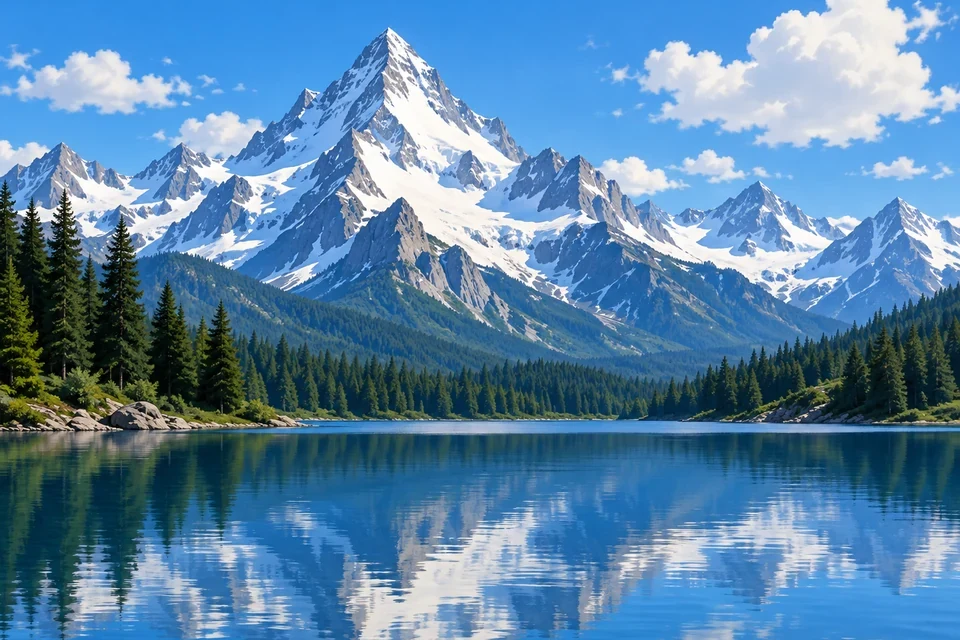
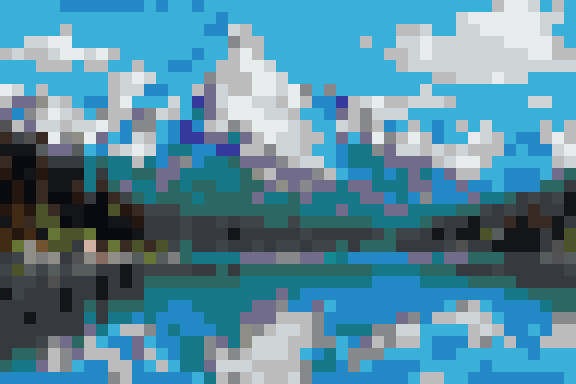
48 × 32 blocks · 1,536 placed blocks · 28 materials
The wider wall holds more of the ridge and reflected sky, with a larger material and placement cost.
Example settings: texture-color matching, no dithering, and a survival-friendly wool, concrete, terracotta, wood, and stone palette. Counts include only placed blocks; each source and output is checked against the published example record.
Crop to the part you want on the wall. Clear outlines and larger color regions survive a small grid better than tiny text or noisy detail.
Set 16–128 blocks wide. Height follows the image aspect ratio; tall images that would exceed 256 blocks need a crop or narrower width.
Generate the grid before gathering blocks. The material list counts each placed block; a wider mural usually needs more blocks.
A flat wall image works for a spawn-hub emblem, a server entrance sign, a base interior portrait, or a landscape backdrop. Each grid cell is one visible block face. Use the row selector and material list for a manual build, starting at the bottom-left and working upward.
The PNG is a block-color preview, not an in-game screenshot. Java users may copy relative commands or download a plain .mcfunction. The command mural starts at the execution position, extends right and upward, and skips air cells. Commands require cheats or operator permission; install the .mcfunction in a datapack before running it.
Height follows the uploaded image's aspect ratio at your selected width. The tool shows the exact block dimensions after generation and stops if the result would exceed 256 blocks high.
Yes. Transparent pixels become air cells, which are omitted from the material count and Java commands. Partially transparent pixels are resolved by the same threshold as the Blueprint converter.
No. It generates a plan and optional Java commands. You place blocks manually or run the commands with the necessary game permissions; the site cannot place blocks in your world.
No. It is a plain Java function file. You must put it into a correctly structured datapack and run it with cheats or operator permission.
Use the general Blueprint editor for detailed grid edits, palette changes, or other export formats. This page is optimized for a quick vertical wall plan.